How to create AI product ads with Higgsfield Marketing Studio
Product photography and video shoots are expensive. With Higgsfield you can create many ad variations from a few product images — if you prepare them well. Here is the process.
- Good input images are the single biggest factor in good product ads.
- Write a short brief: audience, promise, hook, format.
- Generate several variations, test them, keep the winners.
What Marketing Studio is for
Marketing Studio is Higgsfield’s workspace for commercial content. It focuses on turning a product into ready-to-post ad images and short videos, including user-generated-content (UGC) style clips, in the formats social platforms use. Higgsfield’s own blog describes a flow where you start from a product (images or product page), review the generated script, optionally pick a consistent presenter, choose the format and generate.
Exact options change regularly, so treat the steps below as a method rather than a list of buttons.
Step 1 — Prepare your product assets
- Clean photos of the product from the front and at an angle, on a plain background, well lit.
- Real details: correct colours, label, size. AI can invent details, so give it the truth.
- A transparent PNG (use the background remover) makes compositing easier.
Step 2 — Write a four-line brief
Audience: [who it is for]
Promise: [the one benefit that matters]
Hook: [what happens in the first 2 seconds]
Format: [9:16 video, 15 s / 1:1 image / 4:5 image]
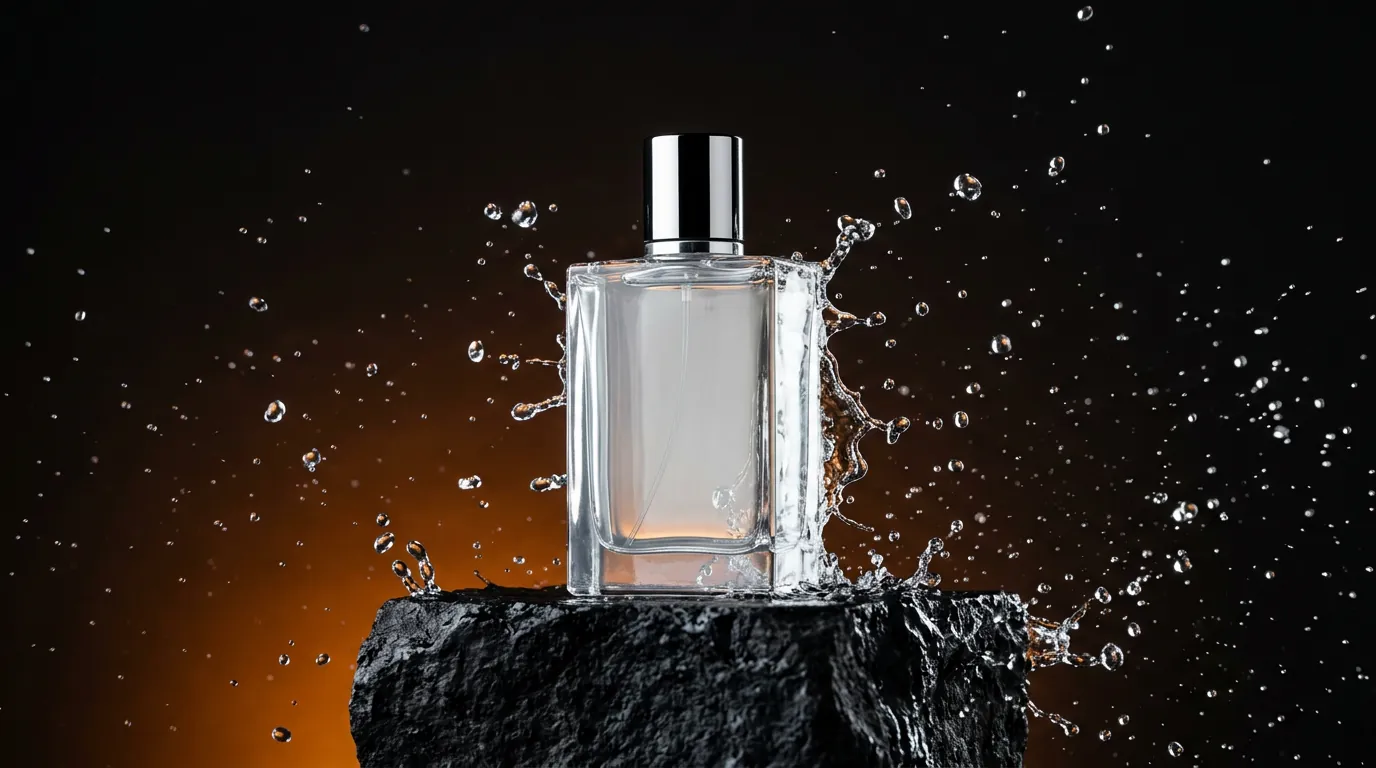
Example: Audience: busy professionals. Promise: a fresh scent that lasts all day. Hook: a water splash freezes around the bottle. Format: 9:16, 10 seconds.
Step 3 — Create hero images
Start with still images: they work as ads on their own and as start frames for video. Use the product template from our prompt guide and add your product as a reference image:
Premium product advertising photo of the product from the reference image, on a black stone pedestal, splashes of water frozen in mid-air, dramatic rim lighting, dark background with subtle warm orange gradient, commercial studio quality
Step 4 — Turn them into video ads
- Pick the format9:16 for TikTok, Reels and Shorts; 1:1 or 4:5 for feeds.
- Start from your best hero imageAnimate it with a short, controlled move:
slow orbit around the bottle, water droplets fall in slow motion. - Show the product earlyViewers decide in the first seconds. Put the product and the hook up front.
- Add text and a call to action in your editorKeep AI-generated text to a minimum and add your offer and logo in post, where you control the wording.
Step 5 — Test variations
The real advantage of AI ads is volume. Change one variable per variation — the hook, the background, the presenter, the angle — and let real performance data decide. Keep a simple sheet of what you tested and the results.
Disclosure and platform rules
- Several platforms ask you to label realistic AI-generated content. Check the rules of each platform you publish on.
- Do not use the likeness of real people or celebrities without written permission.
- Do not imitate competitors’ trademarks or packaging.
Frequently asked questions
Can Higgsfield replace a product photo shoot?
For many social ads and concept tests, yes. For packaging, catalogues and close-ups that must be exact, a real photo shoot (or editing real photos) is still more reliable.
How long are the video ads?
Most generations are short clips of several seconds. For a longer ad, generate several clips and edit them together.
Do I need my own product photos?
For a real product, yes — the better your photos, the more accurate the ads. Without them, the model will invent a generic product.
Facts checked: October 29, 2026. Features, models and plans change often — always confirm on the official site.
Keep learning
What is Higgsfield AI? A clear introduction for 2026
Higgsfield AI explained in plain language: what the platform does, its main studios and models, who it is for, how credits work and how to get started.
Read guide →
Higgsfield for beginners: your first hour, step by step
A step-by-step Higgsfield tutorial for beginners: create your account, understand the interface and credits, generate your first image and turn it into a video.
Read guide →
How to plan and make your first AI video with Higgsfield
A practical workflow to make a short AI video with Higgsfield: write a one-line idea, build a shot list, create key frames, animate them, add sound and edit.
Read guide →